Guide
Everything, step by step
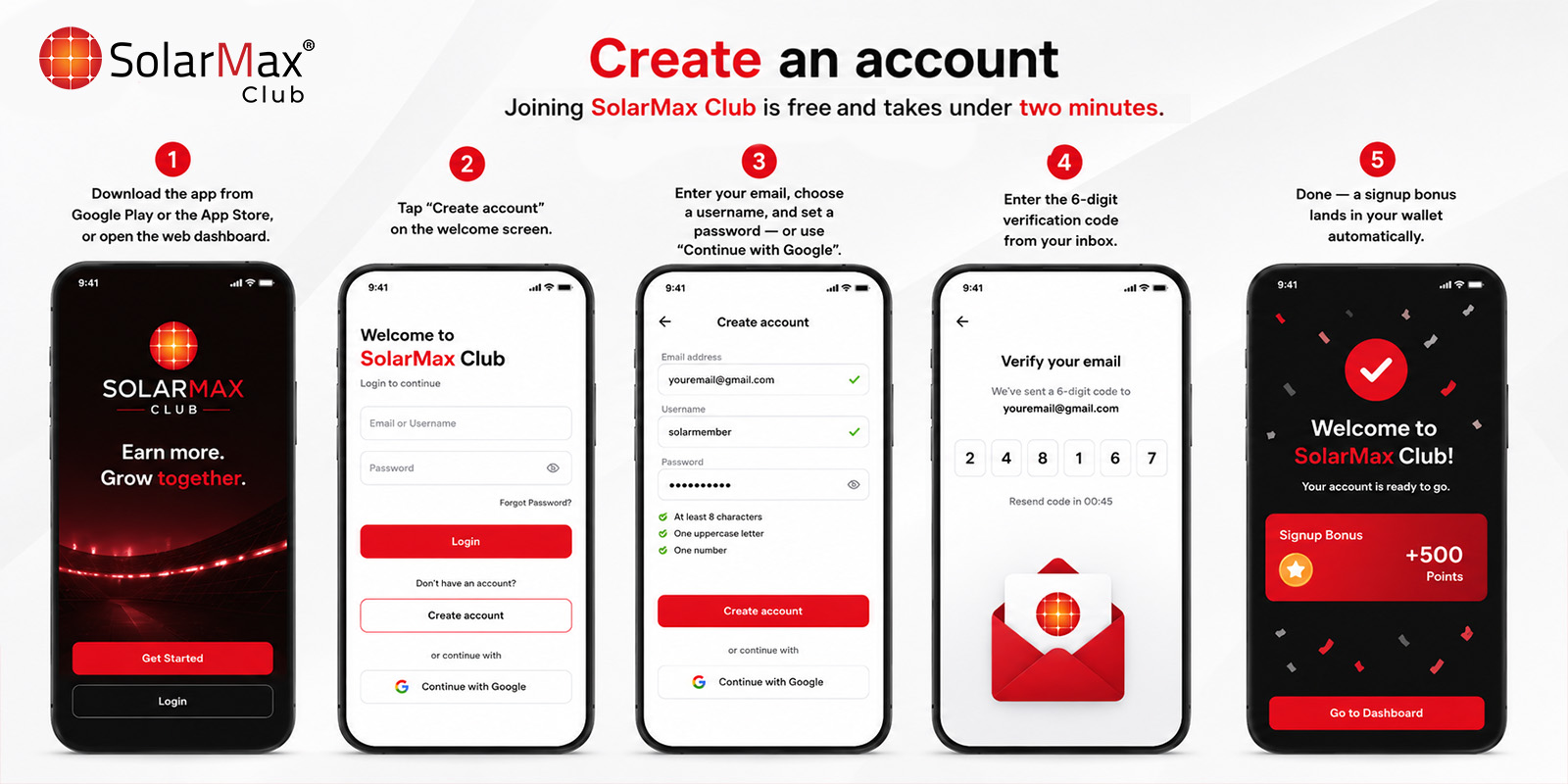
Create an account
Joining SolarMax Club is free and takes under two minutes.
- 1
Download the app from Google Play or the App Store, or open the web dashboard.
- 2
Tap "Create account" on the welcome screen.
- 3
Enter your email, choose a username, and set a password — or use "Continue with Google".
- 4
Enter the 6-digit verification code from your inbox.
- 5
Done — a signup bonus lands in your wallet automatically.
Log in
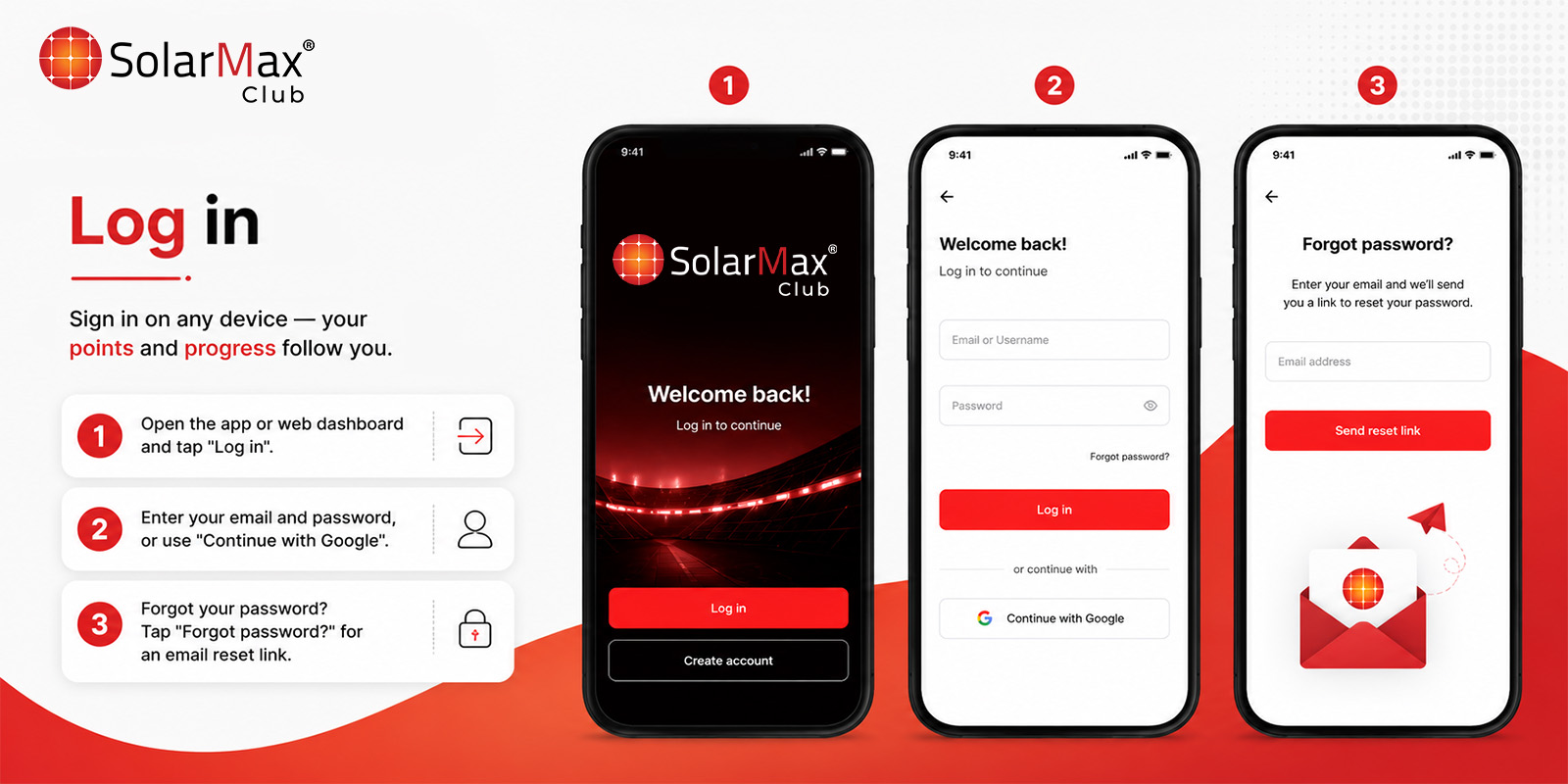
Sign in on any device — your points and progress follow you.
- 1
Open the app or web dashboard and tap "Log in".
- 2
Enter your email and password, or use "Continue with Google".
- 3
Forgot your password? Tap "Forgot password?" for an email reset link.
Complete your profile
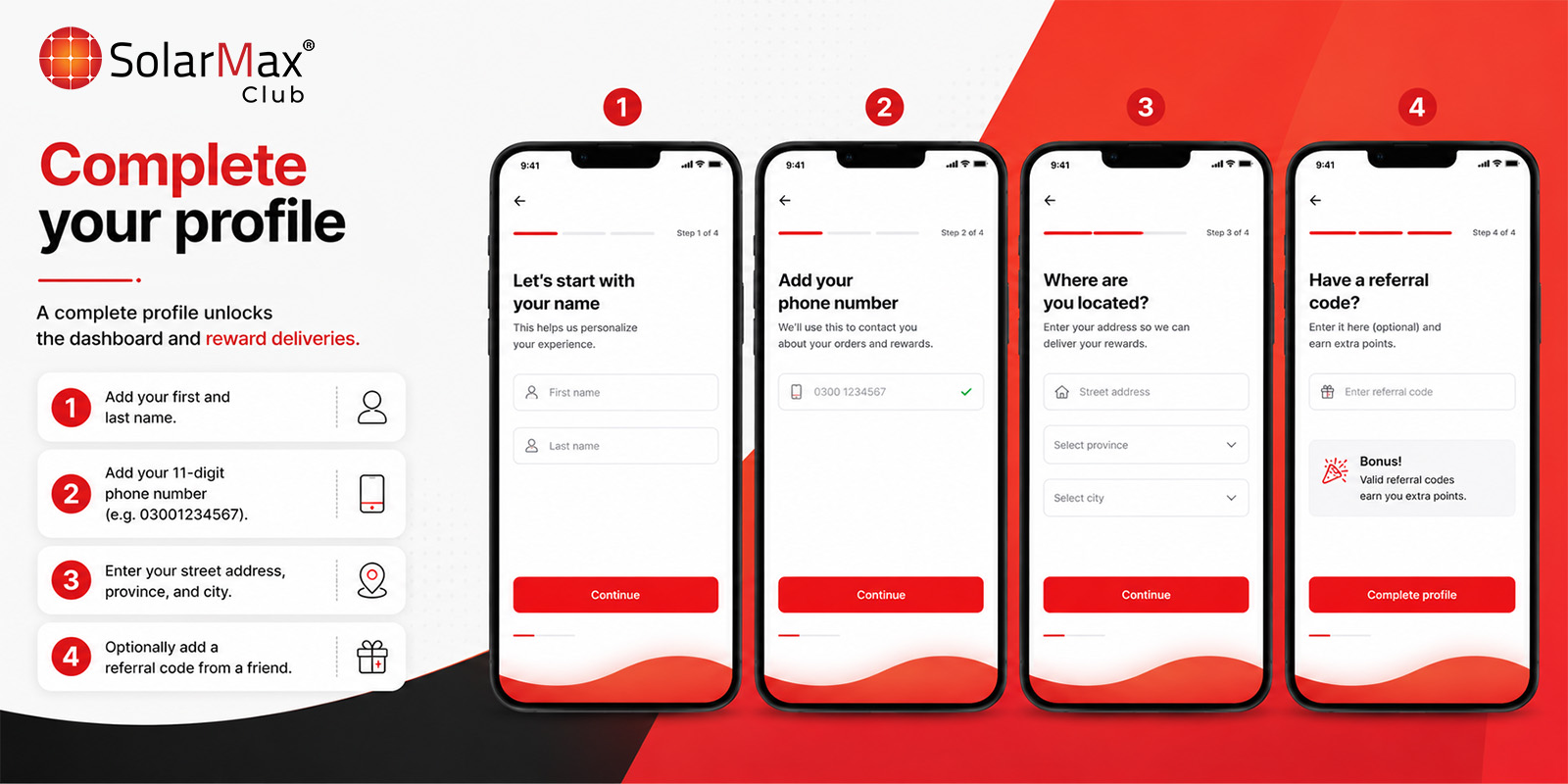
A complete profile unlocks the dashboard and reward deliveries.
- 1
Add your first and last name.
- 2
Add your 11-digit phone number (e.g. 03001234567).
- 3
Enter your street address, province, and city.
- 4
Optionally add a referral code from a friend.
Submit an installation
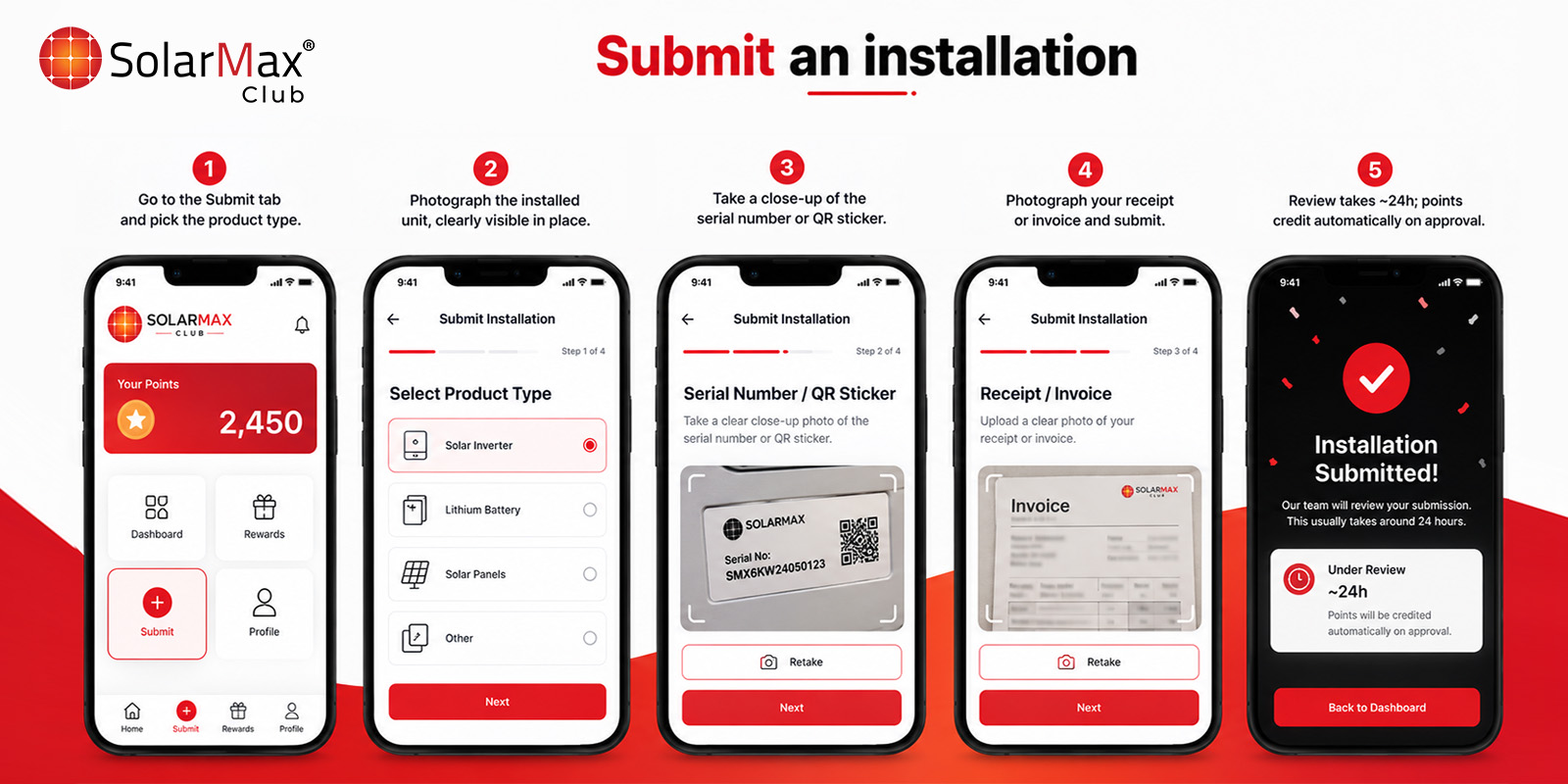
Every verified SolarMax product you install earns points.
- 1
Go to the Submit tab and pick the product type.
- 2
Photograph the installed unit, clearly visible in place.
- 3
Take a close-up of the serial number or QR sticker.
- 4
Photograph your receipt or invoice and submit.
- 5
Review takes ~24h; points credit automatically on approval.
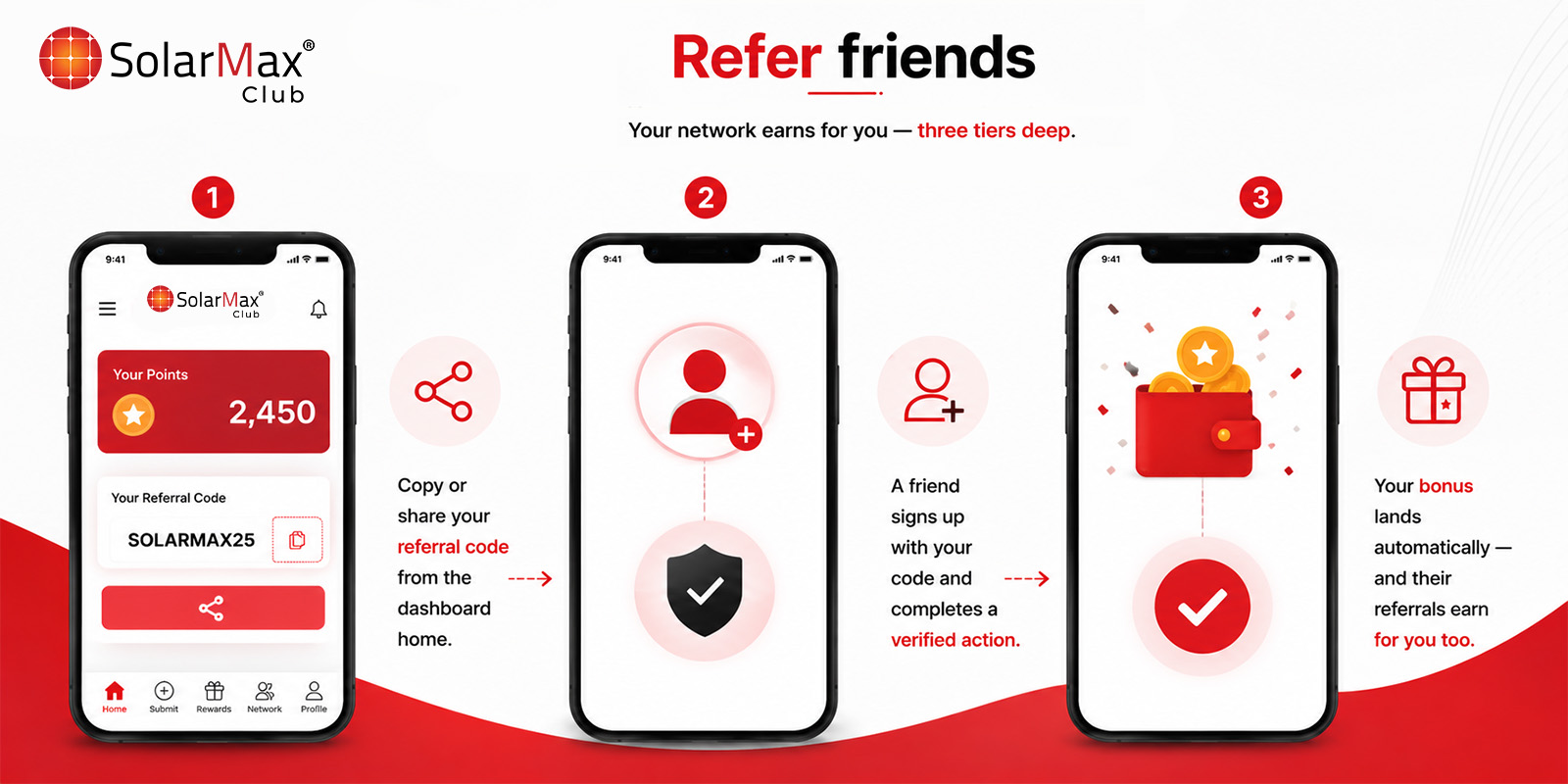
Refer friends
Your network earns for you — three tiers deep.
- 1
Copy or share your referral code from the dashboard home.
- 2
A friend signs up with your code and completes a verified action.
- 3
Your bonus lands automatically — and their referrals earn for you too.
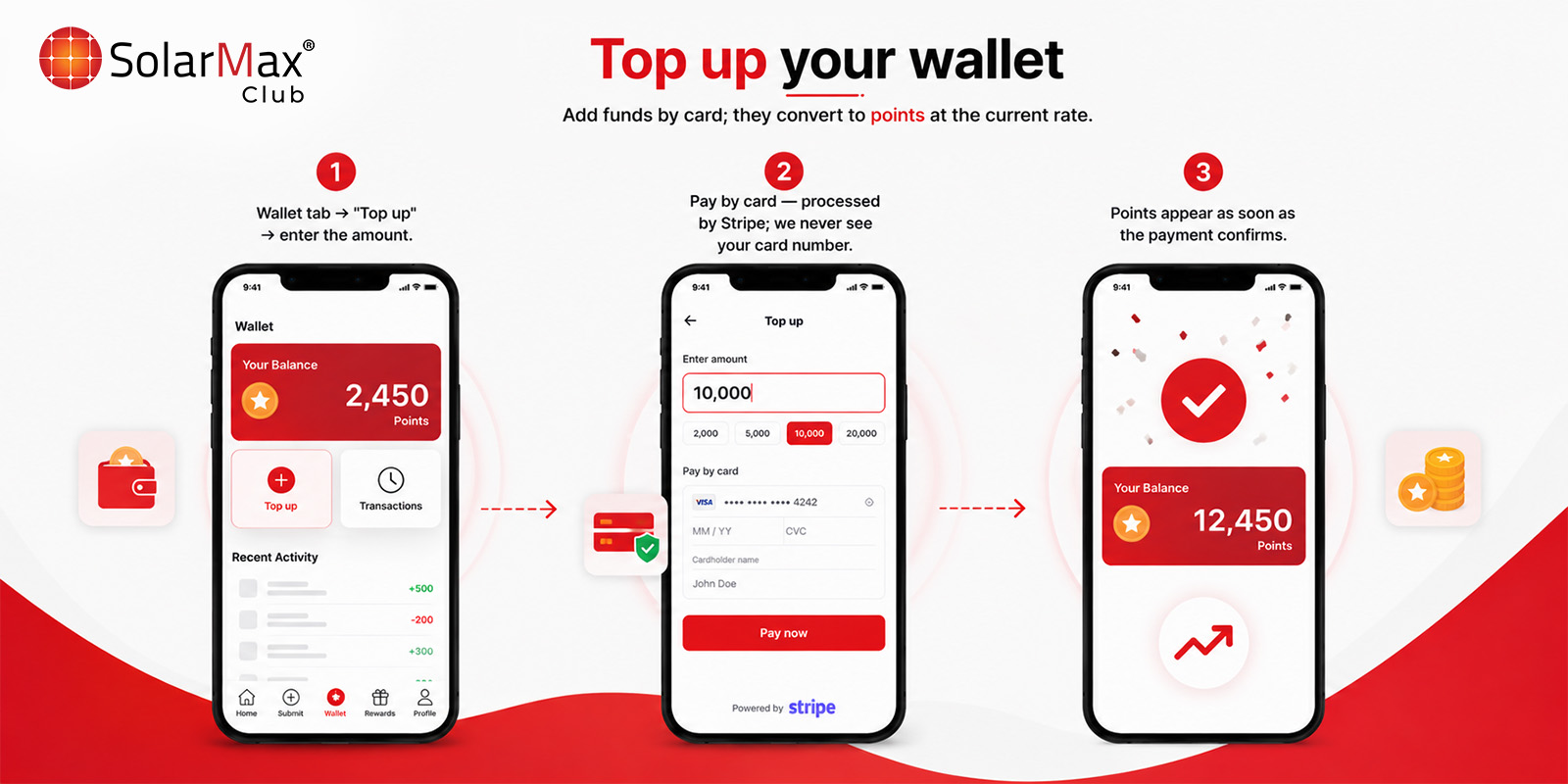
Top up your wallet
Add funds by card; they convert to points at the current rate.
- 1
Wallet tab → "Top up" → enter the amount.
- 2
Pay by card — processed by Stripe; we never see your card number.
- 3
Points appear as soon as the payment confirms.
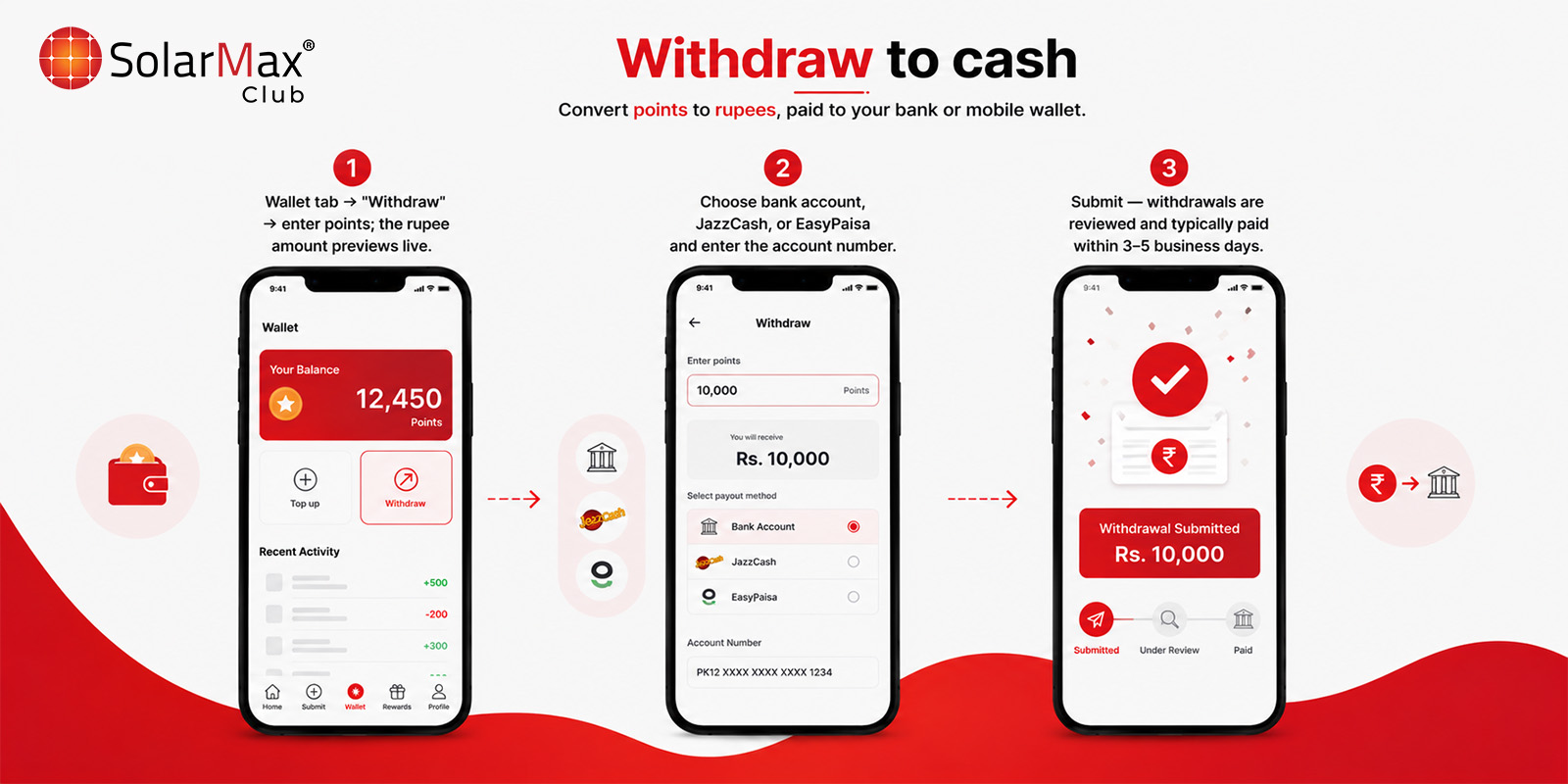
Withdraw to cash
Convert points to rupees, paid to your bank or mobile wallet.
- 1
Wallet tab → "Withdraw" → enter points; the rupee amount previews live.
- 2
Choose bank account, JazzCash, or EasyPaisa and enter the account number.
- 3
Submit — withdrawals are reviewed and typically paid within 3–5 business days.
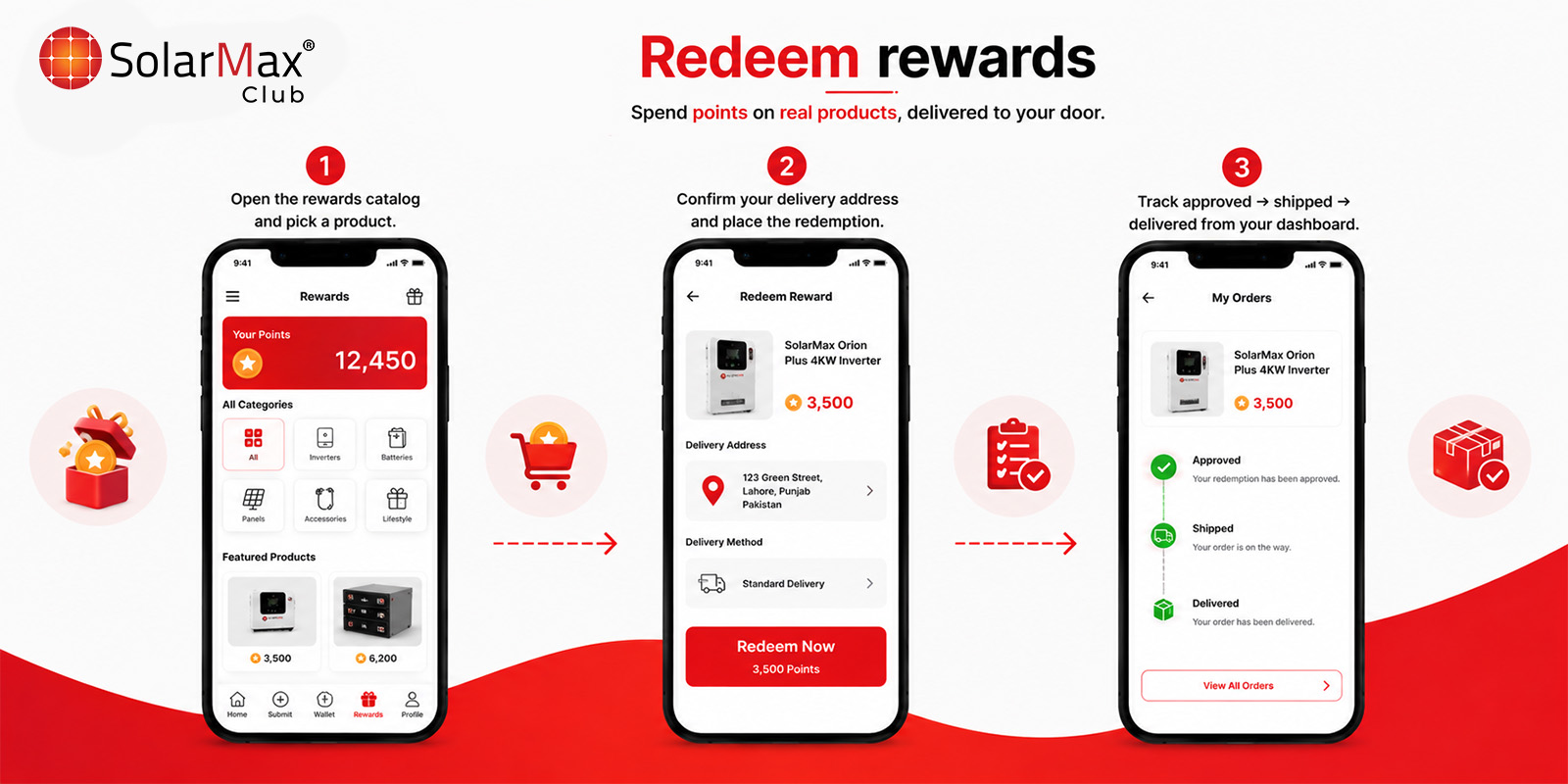
Redeem rewards
Spend points on real products, delivered to your door.
- 1
Open the rewards catalog and pick a product.
- 2
Confirm your delivery address and place the redemption.
- 3
Track approved → shipped → delivered from your dashboard.
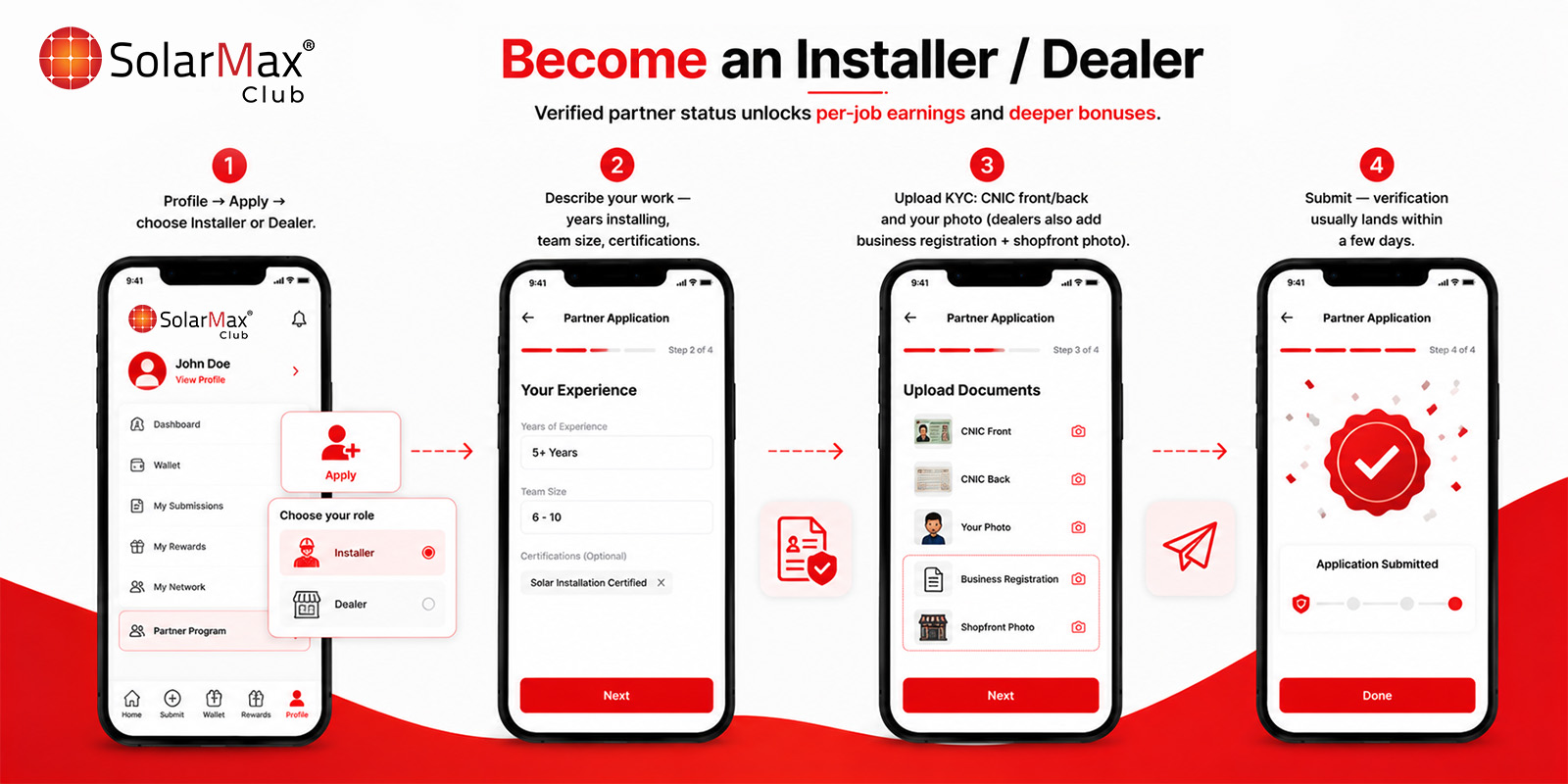
Become an Installer / Dealer
Verified partner status unlocks per-job earnings and deeper bonuses.
- 1
Profile → Apply → choose Installer or Dealer.
- 2
Describe your work — years installing, team size, certifications.
- 3
Upload KYC: CNIC front/back and your photo (dealers also add business registration + shopfront photo).
- 4
Submit — verification usually lands within a few days.
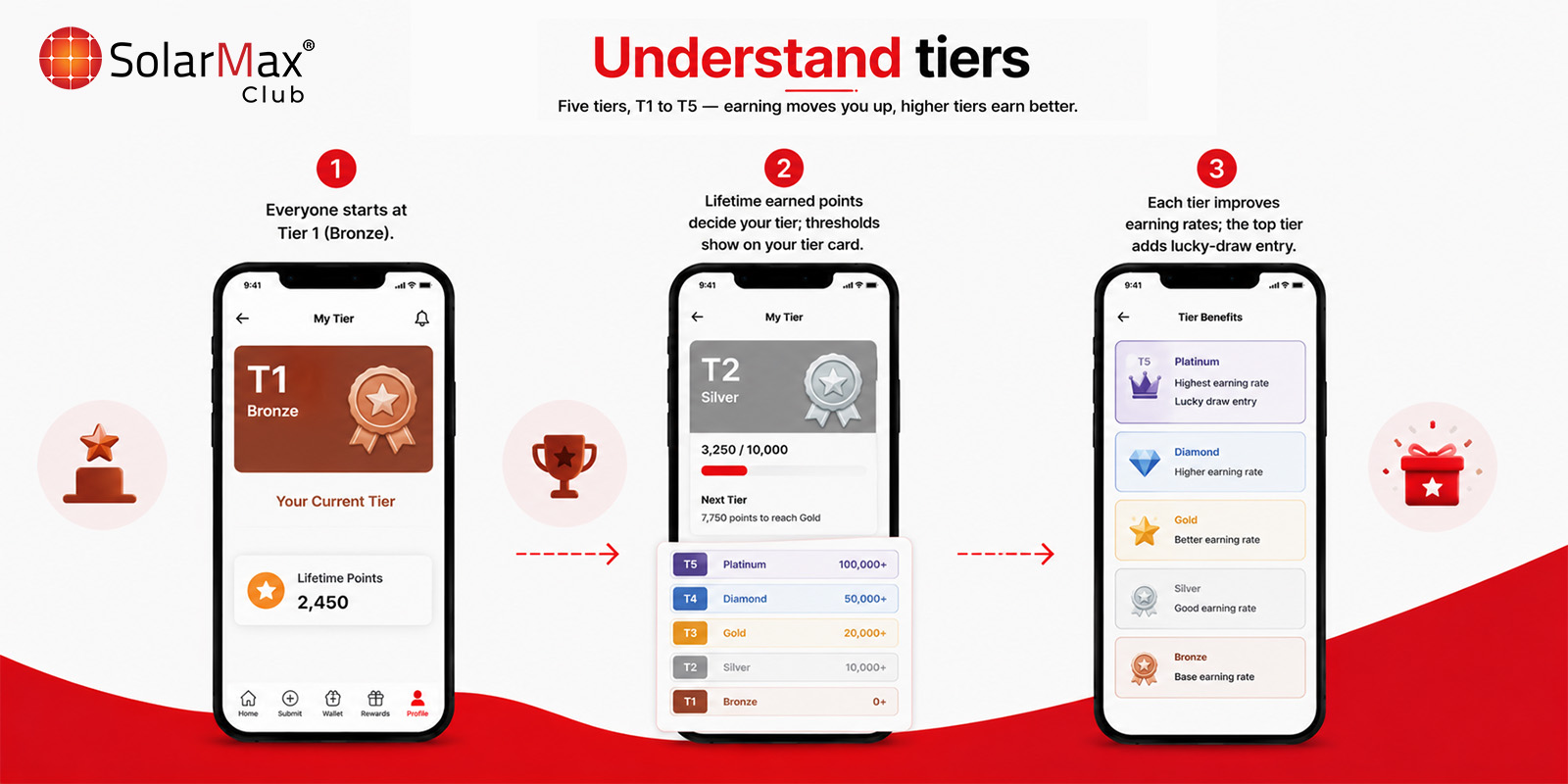
Understand tiers
Five tiers, Bronze to Diamond — earning moves you up, higher tiers earn better.
- 1
Everyone starts at Bronze.
- 2
Lifetime earned points decide your tier; thresholds show on your tier card.
- 3
Each tier improves earning rates; the top tier adds lucky-draw entry.
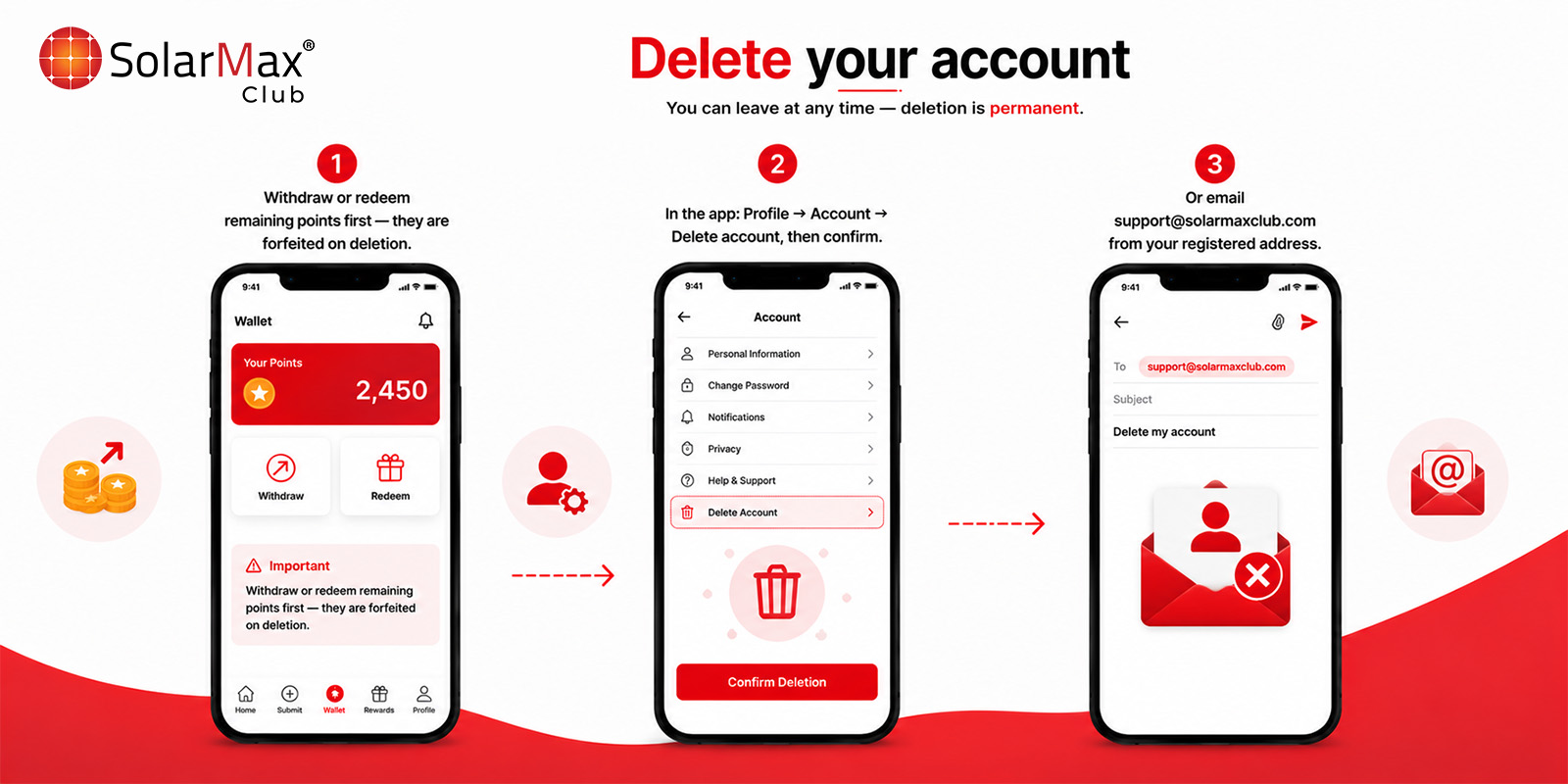
Delete your account
You can leave at any time — deletion is permanent.
- 1
Withdraw or redeem remaining points first — they are forfeited on deletion.
- 2
In the app: Profile → Account → Delete account, then confirm.
- 3
Or email support@solarmaxclub.com from your registered address.
Full retention details: account deletion page.